
Etsy: Linking Existing Etsy Products
Linking Existing Etsy Products to Live Ink
This guide explains how to connect products already listed on Etsy to your Live Ink account for seamless fulfillment.
Before You Begin
-
New Stores: If your store is empty, please follow our guide on Creating and Syncing New Products instead.
-
Custom Branding: If you plan to use printed neck labels, set them up in your Brand Profile before linking products. This ensures they are ready to be assigned immediately.
Initiating the Link
-
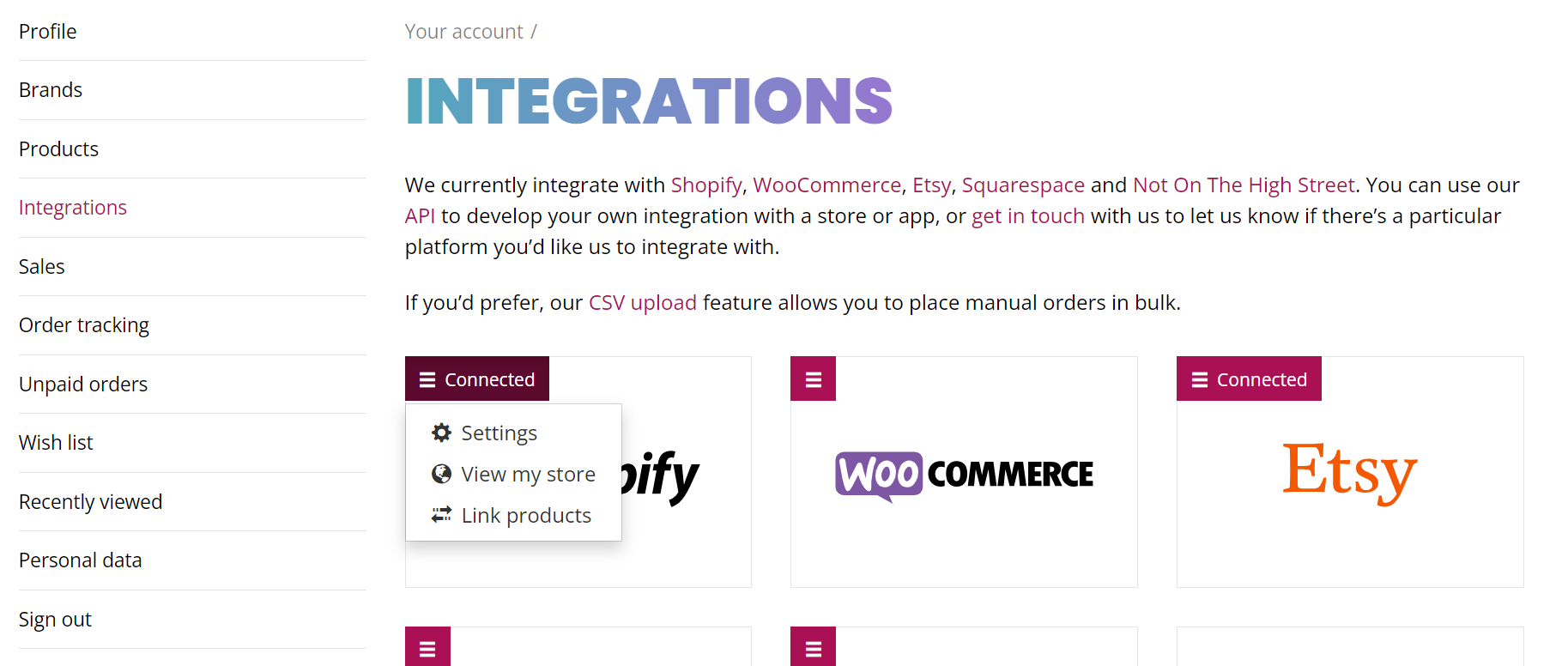
Click the Link Products button in the Live Ink dashboard.
-
You will see a list of all your Etsy products. Products already fulfilled by Live Ink will show a green bar.
-
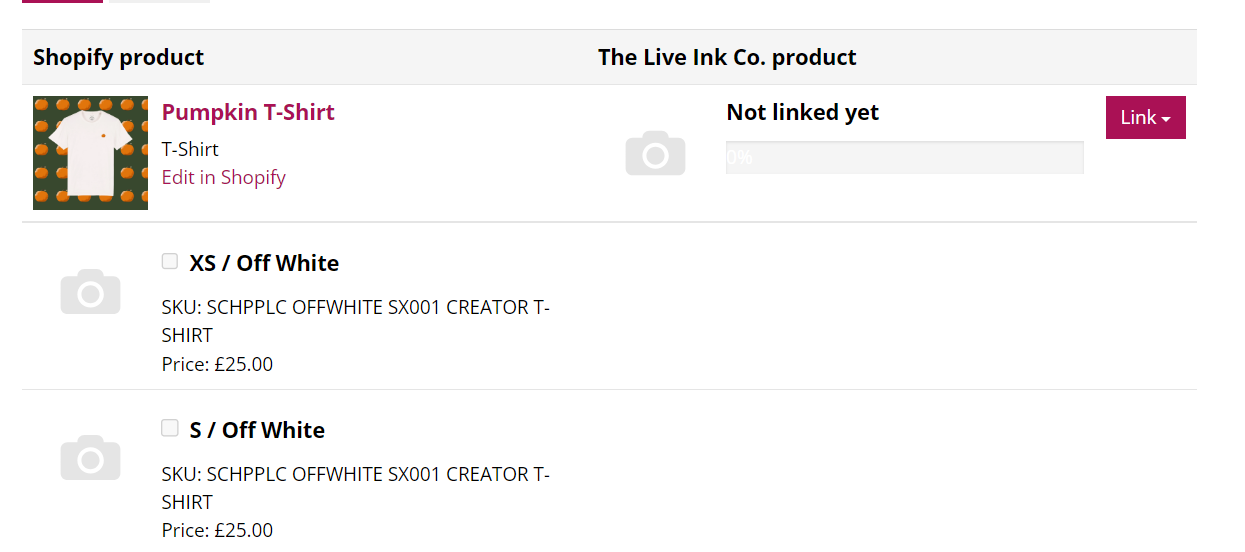
Find the product you want to connect and click Edit.
Phase 3: Mapping the Products
-
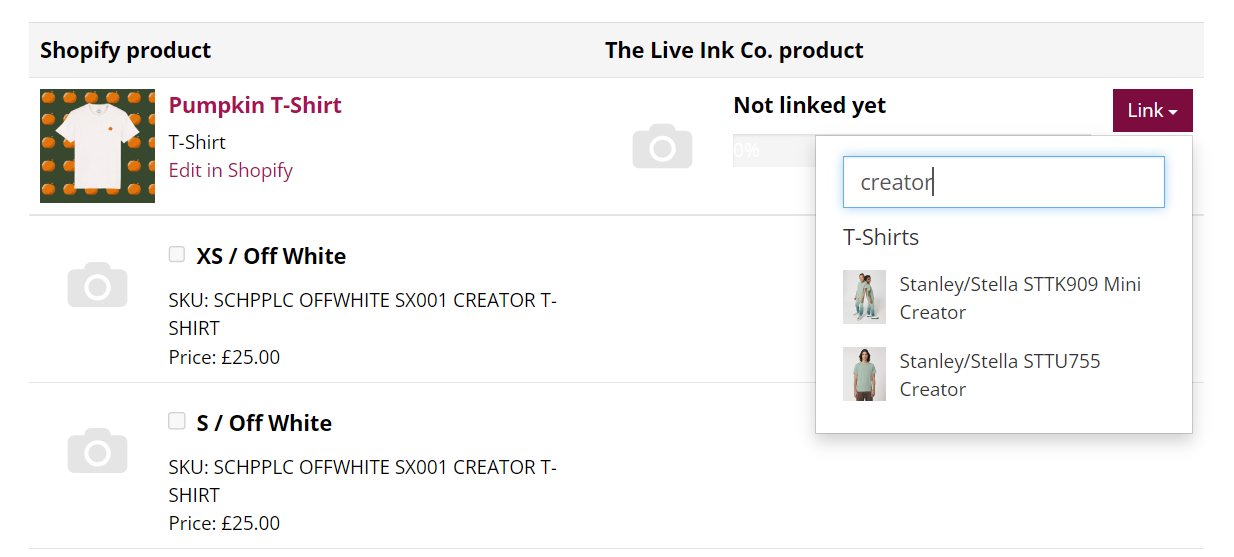
Assign the Base Garment: Click the Link button on the product page.
-
Select the corresponding garment from the drop-down menu (e.g., Stanley Stella Creator 2.0 T-Shirt).
-
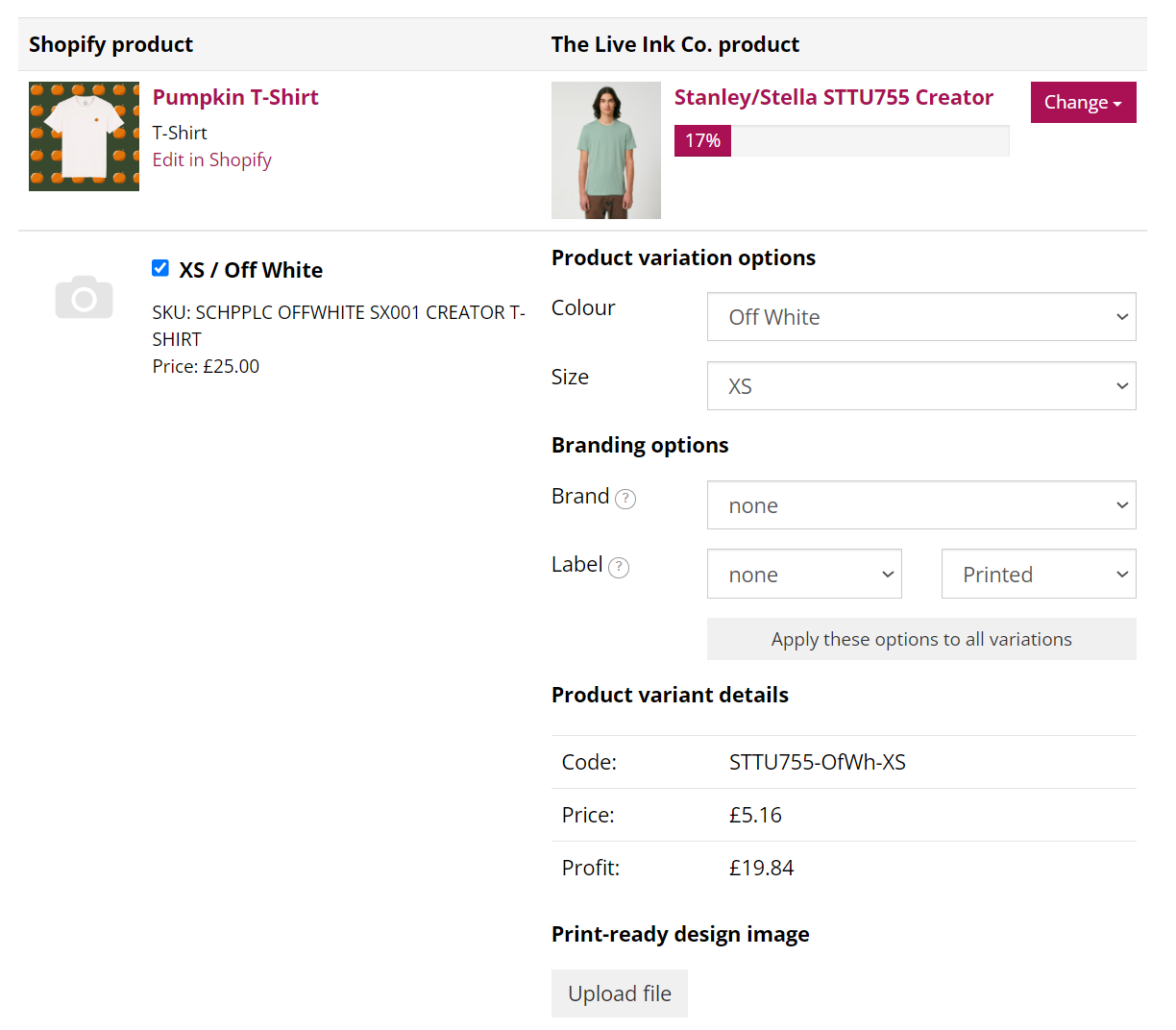
Link Variations: Tick the checkbox next to each variant (Size/Colour) you want Live Ink to fulfill.
-
Match Details: The app may auto-populate these, but you must check them. Ensure the "Live Ink Product" column matches the "Etsy Product" column for both Size and Colour.

Phase 4: Adding Artwork & Mockups
-
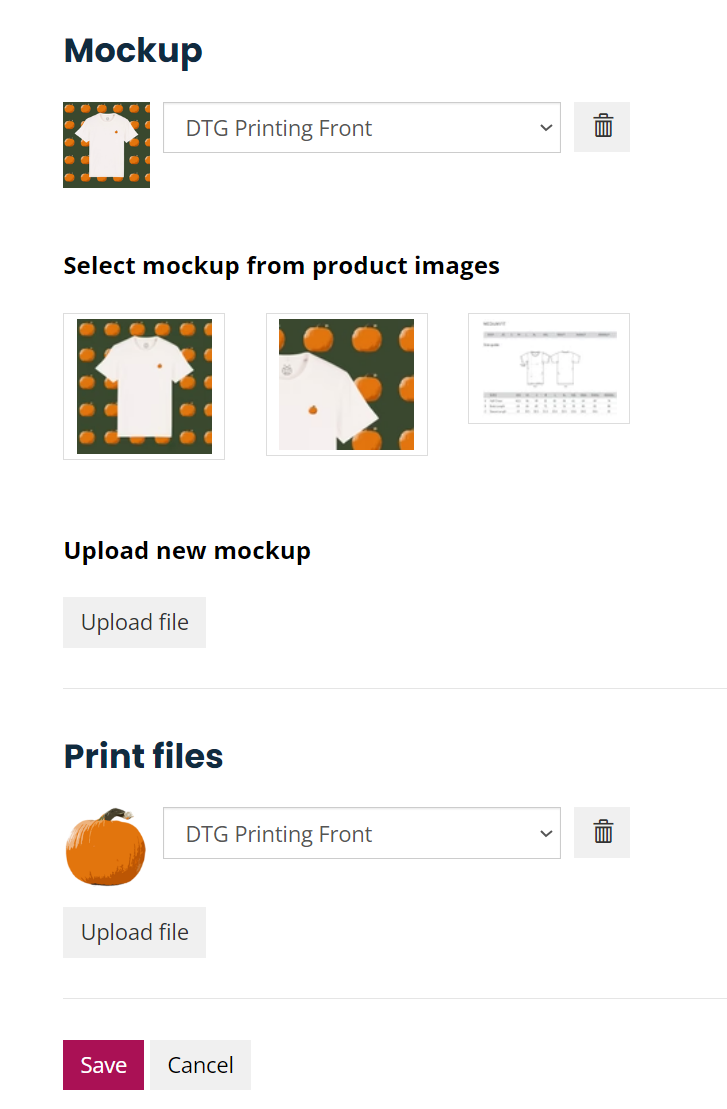
Upload Print Files: * Option A (Single Design): Scroll to the bottom and upload a print file to apply it to all selected variants.
-
Option B (Variant-Specific): If different colours need different files (e.g., white ink for black shirts), upload individual files next to each variant.
-
Note: Files must be 300dpi at the size you want them printed.
-
-
Upload Mockup: At the bottom, upload a product mockup. This is used by the production team for quality control to ensure the print placement is correct.

Phase 5: Finalising
-
Review all matched variants for accuracy (errors here will lead to incorrect fulfillment).
-
Click Save.
-
You will be returned to the product list. A green bar will indicate what percentage of your product’s variants are now successfully linked.
Pro-Tip: If your progress bar isn't at 100%, click Edit again to see which sizes or colours you missed. Only linked variants will be fulfilled automatically!